Before buying a MagSafe wallet, check four things: whether the phone supports the magnetic accessory system, whether the case is compatible, whether the wallet aligns and holds securely at the intended card load, and whether keeping cards with the phone suits your routine. A compatible phone with an incompatible case can still produce a poor result.
Compatibility has three layers
| Layer | Question | Why it matters |
|---|---|---|
| Phone | Does the exact model support the relevant magnetic accessory system? | The built-in magnet arrangement is the foundation |
| Case | Is the case designed to pass through or add compatible magnets? | A thick or non-magnetic case can weaken attachment |
| Wallet | Is the product designed for that system and intended load? | Alignment, retention and card access depend on its construction |
Do not rely on the word “magnetic” alone. General magnetic accessories and products made for a specific alignment system are not necessarily equivalent. Read the current compatibility list and case guidance for the wallet you are considering.
Check the exact phone model
Phone families can look almost identical while using different dimensions and accessory support. Confirm the full model name in the phone settings rather than guessing from screen size or purchase year. If the product page does not list your model, ask before buying.
Android phones and cases may offer compatible-style magnetic rings, but performance depends on the device and case. A stick-on ring is another variable and must be installed according to its maker’s instructions. Do not assume the same result as a phone with the system built in.
The case is often the hidden problem
A wallet may attach correctly to a bare phone and poorly through a case. Thick protective materials, metal plates, ring stands and misaligned decorative elements can interfere. A case labelled for compatible magnetic accessories is the safest starting point, but the complete phone-case-wallet combination still needs testing.
- Remove any metal plate used with a car mount unless the makers confirm compatibility.
- Check that the case’s magnetic ring is centred correctly.
- Avoid trapping grit between the case and wallet.
- Do not use a visibly damaged case or accessory.
- Follow both the phone and wallet maker’s guidance.
Load affects retention
A phone wallet is intended for a small card set. Too few cards may affect retention in some designs; too many can stretch the sleeve or change how the accessory sits. Use standard cards within the stated capacity. Do not insert keys, coins, thick access fobs or folded paper into a card sleeve unless the product explicitly supports them.
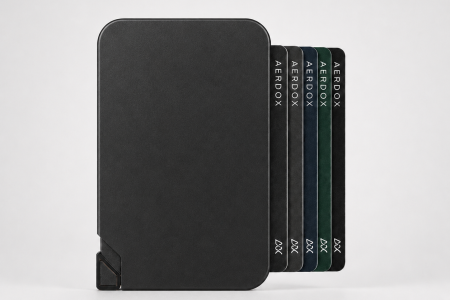
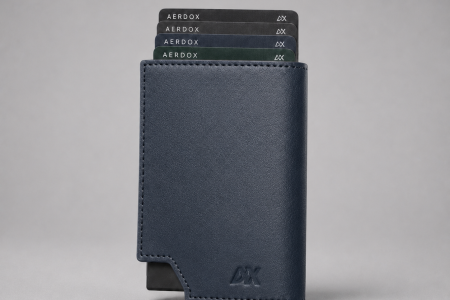
The Aerdox AeroSnap is the phone-first option in the Aerdox range and is positioned for essential cards on light days. Its current page describes use for roughly one to three key cards. Verify the live product details, supported devices and current variants before purchase.
Perform a safe home attachment test
- Clean the phone case and wallet contact surfaces with the approved method.
- Attach the empty wallet and check that it centres without forcing.
- Add the intended standard card load.
- Lift the phone over a soft surface and gently test normal handling.
- Put it into and remove it from the pocket used most often.
- Confirm cards remain retained and the wallet stays aligned.
Do not conduct dramatic shake, drop or height tests. They can damage the phone and do not represent normal use. If attachment feels uncertain during ordinary handling, do not rely on the combination.
Consider the “one item” trade-off
Keeping phone and cards together reduces pocket clutter and can simplify a quick errand. It also means losing one combined item may remove communication, payment and identification together. Decide whether to keep a backup card separately for longer days or travel.
A phone wallet may complement a full wallet rather than replace it. Use AeroSnap for weekends, events and short errands, then use a separate Aerdox cardholder or wallet when the day requires notes, more cards or visible ID. Our AeroSnap Melbourne weekends guide gives a practical example.
Cards, magnets and payment use
Payment cards, hotel keys, access cards and other credentials use different technologies and may have different storage guidance. Follow the card issuer’s instructions, particularly for magnetic-stripe cards and sensitive access credentials. If a card behaves unexpectedly after storage, contact the issuer rather than repeatedly testing it.
A MagSafe-style wallet is not the same as RFID-blocking storage. Unless a product explicitly states otherwise, do not assume it shields contactless cards. Its primary function is phone-attached card carry.
When a separate wallet is better
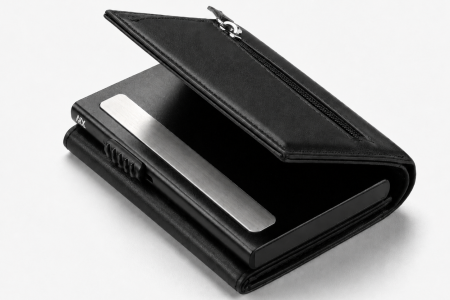
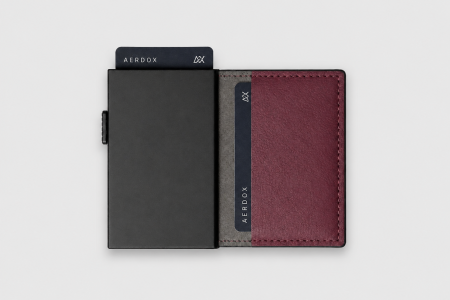
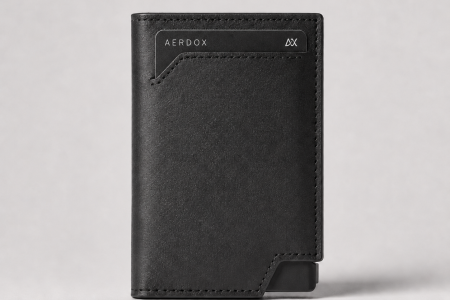
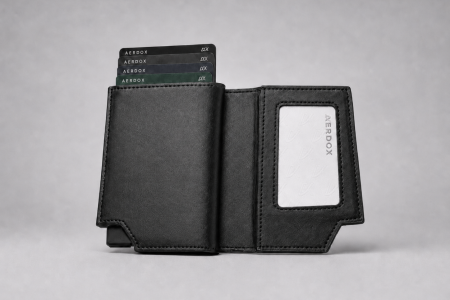
Choose a separate cardholder or wallet when you carry cash, need more than a few cards, require a visible work ID, prefer payment backup away from the phone or use a case that is not compatible. The Aerdox Glide Cardholder is a compact card-focused alternative. The Aerdox Vector Bi-fold Wallet adds an ID window and fuller wallet structure.
Before-you-buy checklist
- Exact phone model confirmed
- Case explicitly compatible
- No conflicting metal plate or stand
- Intended card number within product guidance
- Comfortable with phone and cards together
- Backup plan for travel or a lost phone
- Returns and care information reviewed
Compatibility is a system, not a single logo. Verify the phone, case and wallet together, then decide whether the combined carry style fits your day.
Apple compatibility and charging note
Apple lists the iPhone models designed for MagSafe accessories and advises keeping cards, passports and key fobs away from the charger during charging. Case design, magnetic strength and third-party wallet features vary, so test your exact phone, case and wallet combination before relying on it. Check Apple’s current MagSafe guidance.
Editorial note: Product specifications, availability and compatibility can change. Confirm the current details on the linked Aerdox product page before purchase.
Frequently asked questions
Will a MagSafe wallet work through any case?
No. Use a case designed for compatible magnetic accessories and verify the complete combination.
Can I use a phone wallet on Android?
Some phones or compatible cases support magnetic accessories, but performance varies. Check the exact phone, case and wallet guidance.
How many cards should I put in a phone wallet?
Only the number and type stated by the product maker. AeroSnap is positioned for a few essential cards rather than a full wallet load.
Does a MagSafe wallet block RFID?
Not automatically. Treat RFID blocking as a separate feature that must be explicitly specified.
Should I keep a backup card elsewhere?
It can be sensible on long days or travel because phone and wallet may be lost together. Choose a backup plan that fits your risk preferences.
 by
by